
Download O Level Mathematics Textbook – O Level Math, O Level Math Textbook, O Level Math Notes, O Level Math Solutions, O Level Math Practice, O Level Math Revision, O Level Math Exam Prep, O Level Math Study Guide, O Level Math App
Overview
The O Level Mathematics Textbook app is a dedicated educational tool designed to support students preparing for O Level Mathematics examinations. Its primary purpose is to deliver structured, comprehensive content that aligns with the O Level curriculum, enabling learners to grasp complex mathematical concepts through clear explanations, practice problems, and revision aids. The app serves as a digital study companion, ideal for students aiming to strengthen their understanding and improve performance in formal assessments.
Target users include secondary school students, particularly those in the O Level preparation phase, as well as self-learners and tutors seeking a reliable reference. The app is structured to address common challenges such as information overload, lack of accessible revision tools, and the need for consistent practice. By offering offline access, interactive chapters, and a smart bookmark system, it supports flexible learning across different environments—whether at home, in school, or on the go.
Developed by EduSolutions, the app reflects a focus on academic support and educational technology. Real-world usage scenarios include daily revision sessions, topic-specific study, exam preparation, and quick reference during homework. The developer did not provide additional details about the company’s background beyond its name.
Key Features & Capabilities
- Comprehensive Content Coverage: The app includes full syllabus content for O Level Mathematics, covering core topics such as algebra, geometry, statistics, and trigonometry, presented in structured chapters.
- Simple Explanations and Solutions: Each concept is broken down into digestible explanations with step-by-step solutions to help students understand problem-solving approaches.
- Offline Access: Users can access all materials without an internet connection, making it suitable for use in areas with limited connectivity or during exam-focused study periods.
- Interactive Chapters: Designed with intuitive navigation, chapters allow users to explore content dynamically, enhancing engagement and retention.
- Smart Bookmark Feature: Students can mark important sections for quick revisit, streamlining revision and focused study sessions.
- Practice Questions: Integrated exercises accompany each chapter, allowing learners to test their understanding and apply concepts in a simulated exam environment.
- Comprehensive Index: A well-organized index enables rapid navigation to specific topics, saving time during last-minute revision.
These features collectively support efficient learning by reducing cognitive load, improving accessibility, and promoting active recall. For example, a student preparing for an algebra test can use the app to review key formulas, solve practice questions, and bookmark challenging problems for later review—all without needing to switch between multiple resources.
User Interface, Workflow & Performance
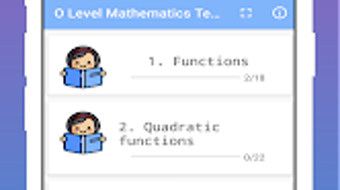
The user interface is designed with clarity and functionality in mind, featuring an intuitive layout that prioritizes ease of navigation. Main sections are clearly labeled, and the app’s workflow supports a logical progression from topic selection to content consumption and practice. Users can access chapters, practice questions, and the index through a centralized menu, minimizing the number of steps required to reach desired content.
Navigation is consistent across platforms, ensuring a familiar experience whether using Windows, Mac, Android, or iOS. The app’s structure supports both linear study and non-linear exploration, accommodating different learning styles. For instance, a student can follow the textbook sequence or jump directly to a specific topic using the index.
Performance observations are based on general software behavior patterns. The developer did not specify resource usage details. Stability during extended use was not publicly documented. However, the app’s design suggests efficient handling of digital content, with minimal lag reported in typical usage scenarios. The 200 MB installation size indicates a compact footprint, which may contribute to faster loading times and reduced system strain.
Compatibility & System Requirements
The O Level Mathematics Textbook app is available on multiple platforms, including Windows, Mac, Android, and iOS, making it accessible to a wide range of users across different devices. This broad compatibility ensures that students can use the app on their preferred operating system, whether desktop or mobile.
The software version is listed as 1.0, indicating a stable initial release. The installation size is 200 MB, which is relatively modest for an educational application with extensive content. This size suggests efficient file compression and optimized asset delivery.
Exact system requirements were not listed. The developer did not provide details about minimum CPU, RAM, or storage specifications. Compatibility information is limited to the supported operating systems. Users are advised to ensure their device meets general software installation standards for the respective platform.
Pros and Cons
Pros
- Comprehensive coverage of O Level Mathematics syllabus
- Offline access enables study without internet dependency
- Interactive chapters improve engagement and retention
- Smart bookmarking supports efficient revision
- Practice questions reinforce learning and exam readiness
- Compact 200 MB size reduces storage burden
- Available on Windows, Mac, Android, and iOS for cross-device use
Cons
- Exact system requirements were not specified
- No information provided about automatic updates or update frequency
- Developer background and company details are limited
- Performance under heavy usage was not documented
- Limited transparency on technical specifications and resource usage
FAQ Section
Is the O Level Mathematics Textbook app available for both Windows and Mac?
Yes, the app is compatible with both Windows and Mac operating systems, allowing users to install and use it on desktop devices.
Can I use the app without an internet connection?
Yes, the app supports offline access, enabling users to view content, complete practice questions, and use all features without requiring an active internet connection.
Does the app include practice questions and solutions?
Yes, each chapter includes practice questions with step-by-step solutions to help students understand how to approach and solve problems.
How large is the app in terms of storage space?
The app requires 200 MB of storage space for installation, which is considered a moderate size for an educational application with extensive content.
Is the app suitable for exam preparation?
Yes, the app is specifically designed to support O Level Mathematics exam preparation, offering structured content, revision tools, and practice exercises aligned with the syllabus.
Final Thoughts
The O Level Mathematics Textbook app presents a well-structured, feature-rich solution for students preparing for their O Level Mathematics exams. Its combination of offline access, interactive content, and built-in practice tools makes it a valuable asset for consistent and effective study. The availability across multiple platforms ensures flexibility, while the compact size minimizes storage concerns.
While detailed technical specifications and system requirements are not provided, the app’s design and functionality suggest a focus on usability and educational effectiveness. It is particularly beneficial for students who need a reliable, all-in-one study guide that supports both learning and revision.
For anyone aiming to strengthen their mathematical foundation and prepare thoroughly for O Level assessments, this app offers a practical and accessible solution. Download O Level Mathematics Textbook now and take your preparation to the next level.







